Alcatel 8051 Frp [TOP-RATED]
These methods should only be used on devices you own. Bypassing security on stolen devices is illegal. Preventive Tip: Always remove your Google account from Settings > Accounts performing a factory reset to avoid triggering FRP. Device Overview: Alcatel Smart Tab 7 (8051)
Select , then tap the Back arrow in the top left corner.
Long-press the word you typed to highlight it, then tap the three vertical dots (Menu) and select or Assist . Selecting Assist will directly open the Google App. Step 2: Open the Device Browser
To ensure you never have to deal with an unexpected FRP lock again, adopt these best practices: alcatel 8051 frp
Once you have successfully bypassed the FRP lock and regained access to your device, it's wise to take steps to ensure you're not locked out again in the future.
Alcatel 8051 (also known as the Alcatel Smart Tab 7 ) is a budget 7-inch tablet that typically runs on Android 9.0 (Pie) and is powered by a MediaTek MT8167D
Perform another factory reset from Recovery Mode after the bypass, then set up the device with a new Google account. This often resolves residual FRP issues. These methods should only be used on devices you own
Type Google Voice Typing into the search bar and select it from the results. Tap on .
Alternatively, some users have succeeded by:
Locate the and the Partition Size for the FRP block. Device Overview: Alcatel Smart Tab 7 (8051) Select
If a computer is not available, software exploits within Android can sometimes be used to bypass FRP. These methods are often patched by security updates, so they may not work on all Android versions. However, they are worth trying.
Ensure you select the version for Android 6.0.
Try this quick method first, though success is low on updated Alcatel 8051s.
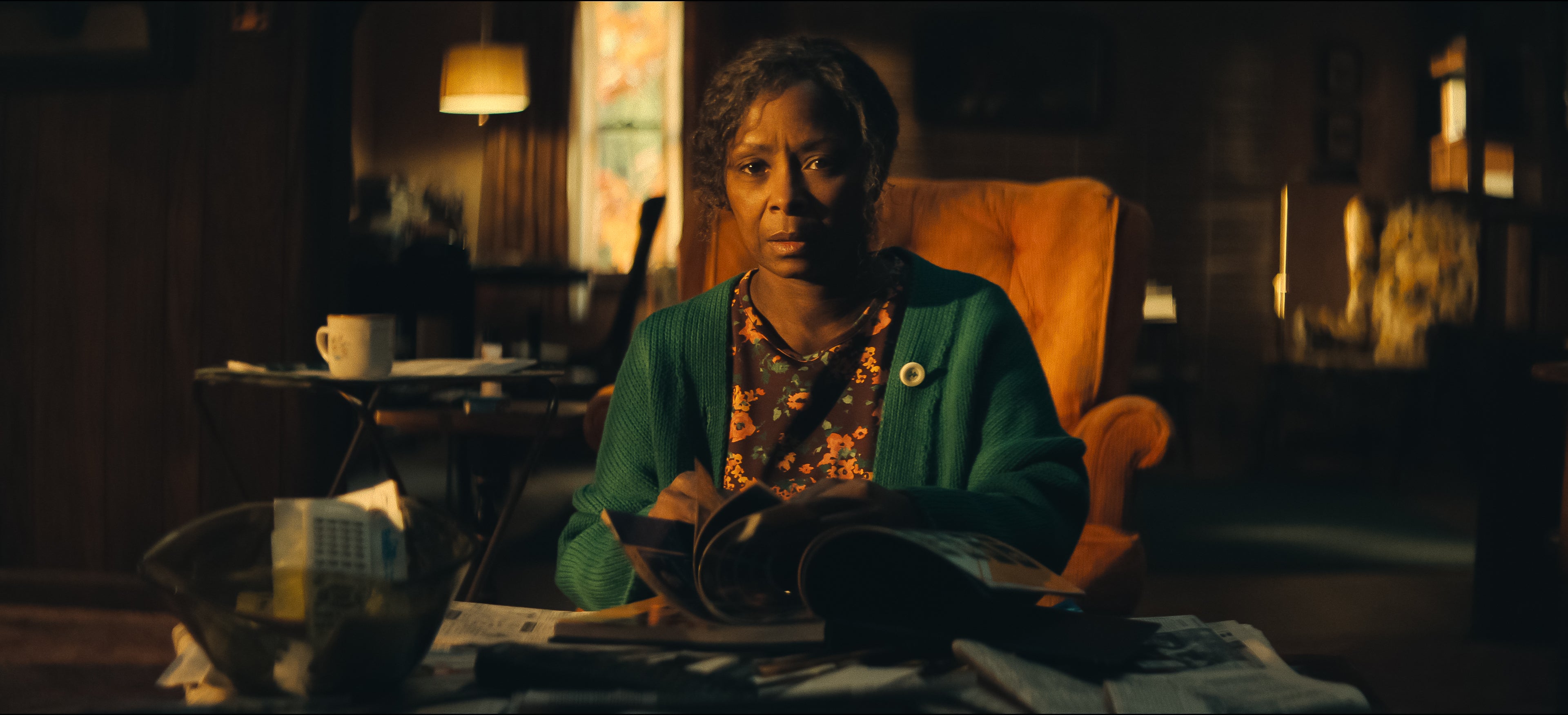
A série Dele & Dela constrói um mistério cheio de camadas… mas o que realmente impressiona é como ela resolve tudo nos minutos finais. E sim — o final muda completamente a forma como você vê a história. A grande revelação: Lexy não é quem parece Durante boa parte da trama, tudo aponta para Lexy Jones. Mas então vem a primeira virada:- Lexy é, na verdade, Catherine Kelly- Uma figura do passado de Anna- Alguém com motivos claros para vingança Essa revelação reorganiza o quebra-cabeça e parece explicar tudo… Mas não explica. O confronto na casa do lago O clímax acontece na casa isolada, onde tudo desmorona:Anna descobre a verdade ao ver fotos antigasTenta alertar JackRichard se mostra mais envolvido do que pareciaE Lexy/Catherine parte para o confronto físico A tensão cresce até o momento do disparo. E aí vem mais uma quebra de expectativa:- Lexy tenta matar Anna- Mas quem atira… não é ela É a detetive Priya. Caso encerrado? Nem perto disso A polícia encontra evidências suficientes para culpar:Lexy (Catherine)Richard como cúmplice O caso parece resolvido. Mas a série não termina aí — e esse é o detalhe que muita gente não vê chegando. O passado que explica tudo Anna finalmente revela a verdade sobre o passado. Um evento traumático na adolescência envolvendo:RachelHelenZoeE Catherine Um crime brutal que gerou:CulpaÓdioE uma sede de vingança silenciosa Esse trauma conecta absolutamente tudo. O salto no tempo — e a falsa sensação de paz Um ano depois, tudo parece resolvido:Anna volta à TVEstá grávidaReconstrói a vida com JackForma uma nova família É o típico final “feliz”… E é aí que a série te engana pela última vez. A VERDADE FINAL: quem estava por trás de tudo A revelação mais importante vem nos últimos minutos. Anna descobre que a narração que ouvimos durante a série… Não era dela. Era uma carta. Uma confissão. E o nome por trás disso muda tudo:Alice — a mãe de Anna. O plano por trás dos assassinatos Alice, aparentemente frágil e com demência, era na verdade:Extremamente conscienteObservadoraE movida por culpa e amor Ela descobre o que aconteceu com Anna no passado… E decide agir. Cada assassinato teve um propósito:Trazer Anna de volta para casaMantê-la em DahlonegaE reconstruir a vida da filha Ela manipulou tudo. Inclusive plantando provas para incriminar Catherine. O detalhe mais perturbador Alice não fez isso por ódio. Ela fez por amor.“O amor de uma mãe é constante, contínuo e incansável.” Essa frase redefine toda a série. O verdadeiro significado do final O que Dele & Dela entrega não é só um mistério resolvido. É uma reflexão desconfortável: Até onde o amor pode ir? Quando proteção vira destruição? E… vale a pena viver uma felicidade construída sobre mentiras? A última cena: perturbadora por um motivo Ao descobrir a verdade, Anna:Não reage com horrorNão confronta imediatamente Ela olha para a mãe…Com orgulho. E esse é o momento mais assustador da série. Conclusão O final de Dele & Dela funciona porque:- Engana o espectador até o último minuto- Entrega um plot twist coerente-Dá sentido a todos os eventos anteriores E principalmente: Mostra que o verdadeiro perigo nunca foi quem parecia.
Leia mais...