Using the is one of the most efficient methods to solve the "Poco C40 Frp Dft Pro" issue. By following the steps outlined above—connecting in the proper mode and utilizing the "Wipe FRP" function—you can regain access to your device in just a few minutes. If you tell me: What Android version (11, 12, or 13) your phone is on Whether it is on the latest MIUI version

Are you having trouble getting the PC to ?

Recent updates, such as version and v7.0.5 , have significantly enhanced the tool's capabilities. Version 6.6.0 introduced improved support for the latest Xiaomi, Vivo, and Oppo Qualcomm models, along with a major upgrade to MTK platform support, including bypassing Secure Boot Authentication (SLA/DA) for newer MediaTek SoCs. Version 7.0.5 went further by adding permanent bootloader unlock for several newer Xiaomi flagship devices.

Reinstall the driver package provided within the DFT Pro installation directory. Restart your PC and try a different USB port (preferably USB 2.0). Operation Failed / Command Not Allowed

, requiring different browser-based entry points to reach the "Second Space" or device settings. Essential Precautions Xiaomi poco C40 frp bypass without pc 28 Apr 2024 —

If the process fails halfway through, your phone might be running a newer security patch that patched the Fastboot exploit. In this scenario, you must switch to the Test Point (EDL) method to force authorization.

Select the "Reset FRP" or "Erase FRP" option. The software then communicates with the phone's chipset to clear the Google account flag. Ethical and Legal Considerations

Look for the , Reset FRP , or Remove FRP option. Some guides suggest selecting an alternative, but compatible model name, such as "REDMI A3 (blue)" as a workaround. However, it's best to look for your exact model ("frost" is the internal codename for the Poco C40). Once you've selected the appropriate option, click the Start button.

Comprehensive Guide: Poco C40 FRP Bypass Using DFT Pro Tool (2026 Updated Method)

have emerged as powerful solutions for technicians to manage such situations. Understanding the typically runs on MIUI 13 based on Android 11 hard reset

Complete Guide to Poco C40 FRP Bypass Using DFT Pro Removing the Factory Reset Protection (FRP) lock on a Xiaomi Poco C40 requires specialized software because of its unique hardware architecture. The Poco C40 does not use a standard Qualcomm or MediaTek chipset. Instead, it runs on a JLQ JR510 processor. This guide provides a comprehensive walkthrough for technicians using DFT Pro to service this specific device. Understanding the Poco C40 FRP Lock
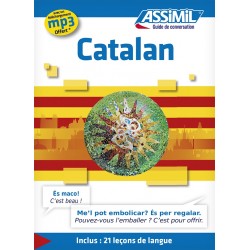

Guida di conversazione ePub2 per imparare a comprendere e parlare il catalano.

Se stai organizzando un viaggio a Barcellona e vuoi riuscire a parlare e a comprendere il catalano senza alcuna difficoltà, scarica la Guida di Conversazione di Catalano in formato ePub2 su base francese.

Che sia un viaggio di piacere o per affari, questa guida di conversazione è un aiuto indispensabile per un approccio pratico al vocabolario e alle espressioni quotidiane catalane: una guida di catalano pratica, semplice e utile che ti potrà aiutare in ogni situazione.

All’interno della guida su base francese troverai:

  • 21 lezioni introduttive con le regole grammaticali di base
  • Un’ampia sezione sulla conversazione
  • Espressioni e vocabolario divisi per argomento e per aiutarvi in ogni situazione della vita quotidiana catalana
  • Tutta la pronuncia e le traduzioni in francese

Guida di conversazione in formato ePub 2 (solo testo)

Avvertenze:
Questo formato elettronico può essere letto solo sui dispositivi iOS (iPod, iPhone, iPad) con l'applicazione iBooks installata oppure direttamente su Mac o Pc.
Per leggerlo su Mac è necessario installare l'applicazione iBooks. Per leggerlo su Pc è consigliato installare l'estensione Readium su Google Chrome.
Questo titolo non può essere scaricato direttamente su un dispositivo iOS (iPod, iPhone, iPad), ma bisogna obbligatoriamente passare attraverso un computer (Pc o Mac), seguendo le istruzioni fornite qui di seguito.

Modo d'uso (PC e Mac):
Dopo aver effettuato l'acquisto su questo sito, si potrà scaricare il file in formato ZIP sul proprio computer direttamente dal proprio profilo personale (scheda "Prodotti digitali acquistati"), dopodiché si potrà estrarre il file in formato EPUB e aprirlo con l'applicazione iBooks (Mac) oppure con l'estensione Readium di Google Chrome (Pc/Mac).
Per trasferire questo titolo sul proprio dispositivo iOS (iPod, iPhone, iPad) bisogna prima aggiungerlo alla propria libreria iTunes e poi sincronizzare il dispositivo. Per maggiori informazioni sulla sincronizzazione, fare riferimento all'aiuto di iTunes.

Configurazione richiesta:
Mac: OS X 10.9 o successivo, iBooks 1.0 o successivo
Pc/Mac: estensione Readium per Google Chrome installata
iPad, iPhone e iPod Touch: iOS 4.3.3 o successivo, iBooks 1.3.1 o successivo

Da acquistare insieme a:


Poco C40 Frp Dft Pro Jun 2026

Using the is one of the most efficient methods to solve the "Poco C40 Frp Dft Pro" issue. By following the steps outlined above—connecting in the proper mode and utilizing the "Wipe FRP" function—you can regain access to your device in just a few minutes. If you tell me: What Android version (11, 12, or 13) your phone is on Whether it is on the latest MIUI version

Are you having trouble getting the PC to ?

Recent updates, such as version and v7.0.5 , have significantly enhanced the tool's capabilities. Version 6.6.0 introduced improved support for the latest Xiaomi, Vivo, and Oppo Qualcomm models, along with a major upgrade to MTK platform support, including bypassing Secure Boot Authentication (SLA/DA) for newer MediaTek SoCs. Version 7.0.5 went further by adding permanent bootloader unlock for several newer Xiaomi flagship devices. Poco C40 Frp Dft Pro

Reinstall the driver package provided within the DFT Pro installation directory. Restart your PC and try a different USB port (preferably USB 2.0). Operation Failed / Command Not Allowed

, requiring different browser-based entry points to reach the "Second Space" or device settings. Essential Precautions Xiaomi poco C40 frp bypass without pc 28 Apr 2024 — Using the is one of the most efficient

If the process fails halfway through, your phone might be running a newer security patch that patched the Fastboot exploit. In this scenario, you must switch to the Test Point (EDL) method to force authorization.

Select the "Reset FRP" or "Erase FRP" option. The software then communicates with the phone's chipset to clear the Google account flag. Ethical and Legal Considerations Recent updates, such as version and v7

Look for the , Reset FRP , or Remove FRP option. Some guides suggest selecting an alternative, but compatible model name, such as "REDMI A3 (blue)" as a workaround. However, it's best to look for your exact model ("frost" is the internal codename for the Poco C40). Once you've selected the appropriate option, click the Start button.

Comprehensive Guide: Poco C40 FRP Bypass Using DFT Pro Tool (2026 Updated Method)

have emerged as powerful solutions for technicians to manage such situations. Understanding the typically runs on MIUI 13 based on Android 11 hard reset

Complete Guide to Poco C40 FRP Bypass Using DFT Pro Removing the Factory Reset Protection (FRP) lock on a Xiaomi Poco C40 requires specialized software because of its unique hardware architecture. The Poco C40 does not use a standard Qualcomm or MediaTek chipset. Instead, it runs on a JLQ JR510 processor. This guide provides a comprehensive walkthrough for technicians using DFT Pro to service this specific device. Understanding the Poco C40 FRP Lock


Prodotti correlati